Natural Language for PLC Systems
Upload your spreadsheets, L5X files, or project docs - then describe what you need in plain English. The AI orchestrates PLCflow's existing modules to generate structured, validated output. No vibe coding - real tool calls, repeatable results.
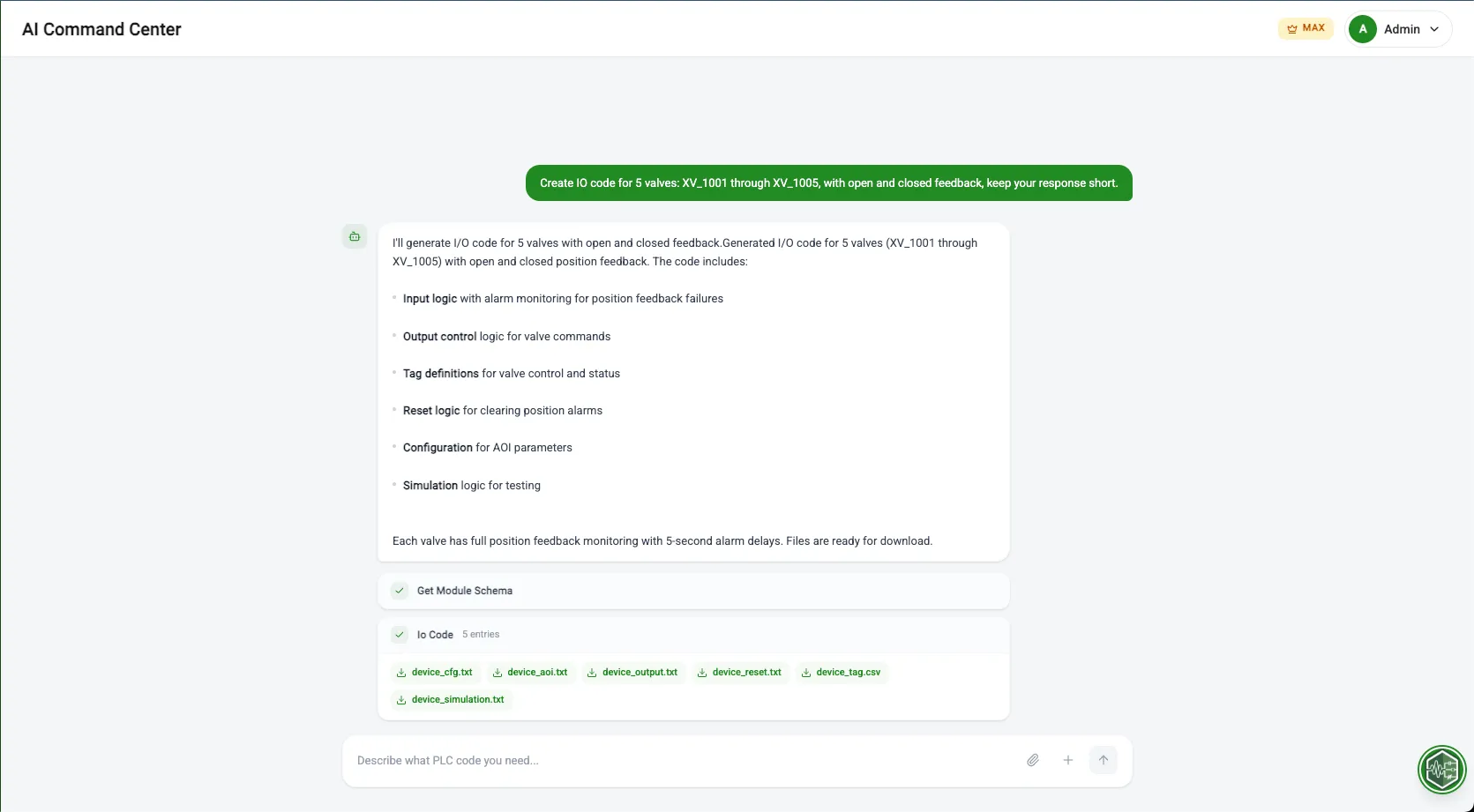
PLC Configuration, Reimagined through AI.
Upload your documents and describe what you need. The AI doesn't generate free-form code - it calls PLCflow's own modules to produce structured, validated entries every time.
Upload & Describe
Attach spreadsheets (.xlsx), L5X project files, or CSVs - then tell the AI what to do with them in plain English. Your documents become the context, your words become the instructions.
"Here's my IO list - create motor entries for Zone A with VFDs and alarms."
Structured Tool Calls
No vibe coding. The AI orchestrates PLCflow's existing modules - I/O Code, Alarm Code, Parameters - through structured tool calls. Same validated output you'd get manually, at 10x the speed.
Context-Aware Intelligence
Upload L5X files or spreadsheets to give the AI deep project context. It reads your tag structures, naming conventions, and hardware layout to generate entries that fit right in.
The Precision Workflow
Upload & Describe
Attach your .xlsx, .L5X, or .csv files and describe what you need in plain English. Documents provide context, your words drive the action.
AI Calls the Tools
The AI dispatches structured calls to PLCflow's modules - I/O Code, Alarm Code, Parameters - producing the same validated output as manual entry.
Review & Export
Preview every generated entry, make adjustments, then export to L5X or CSV. Same quality as hand-built configs, fraction of the time.
Built for engineers like you
Early project phase - need to quickly generate a rough structure for 50 devices to estimate scope
Describe the system in plain English, AI generates I/O, alarm, and parameter entries for immediate review.
Non-engineer who needs to create a baseline PLC structure from a P&ID to hand off to the controls team
Describe equipment from the P&ID, AI generates the initial configuration that the engineer refines.
Before & After
See the difference PLCflow makes on a real project.
- Open I/O Code module, type each device entry
- Switch to Alarm Code, type alarm definitions
- Switch to Parameter Code, repeat for every module
- Context-switch between tools, re-enter overlapping information
- Describe your system in plain English
- AI generates entries across all relevant modules simultaneously
- Review generated configurations before committing
- Attach L5X files for context-aware generation
Tool Calls, Not Guesswork.
-
Module-Level Tool Calls
The AI doesn't write raw code. It calls PLCflow's I/O Code, Alarm Code, and Parameter modules directly - the same tools you use manually, driven by conversation.
-
Document Upload
Attach .xlsx spreadsheets, .L5X project files, or .csv exports. The AI parses your documents and uses them as context for generation.
-
Batch Generation
Create 10, 50, or 100+ entries from a single prompt. Every entry passes through the same validation as manual creation.
-
L5X & CSV Export
Native support for Studio 5000 via L5X, plus standard JSON exports for Inductive Automation's Ignition.
Ready to Build with AI?
No credit card required. Upload a spreadsheet, describe what you need, and let the AI call PLCflow's modules to generate production-ready output in under a minute.