Three steps. Any workflow.
No plugins. No complicated setup. Just upload, configure, and generate.
Define Your Devices
Start with what you already have - the same Excel sheet where
you've been wrestling CONCAT() into shape to build tag names, I/O lists, alarm definitions, or parameter
setpoints. Upload it, or enter the rows directly in PLCflow's built-in
editor with inline validation and paste-from-spreadsheet support.
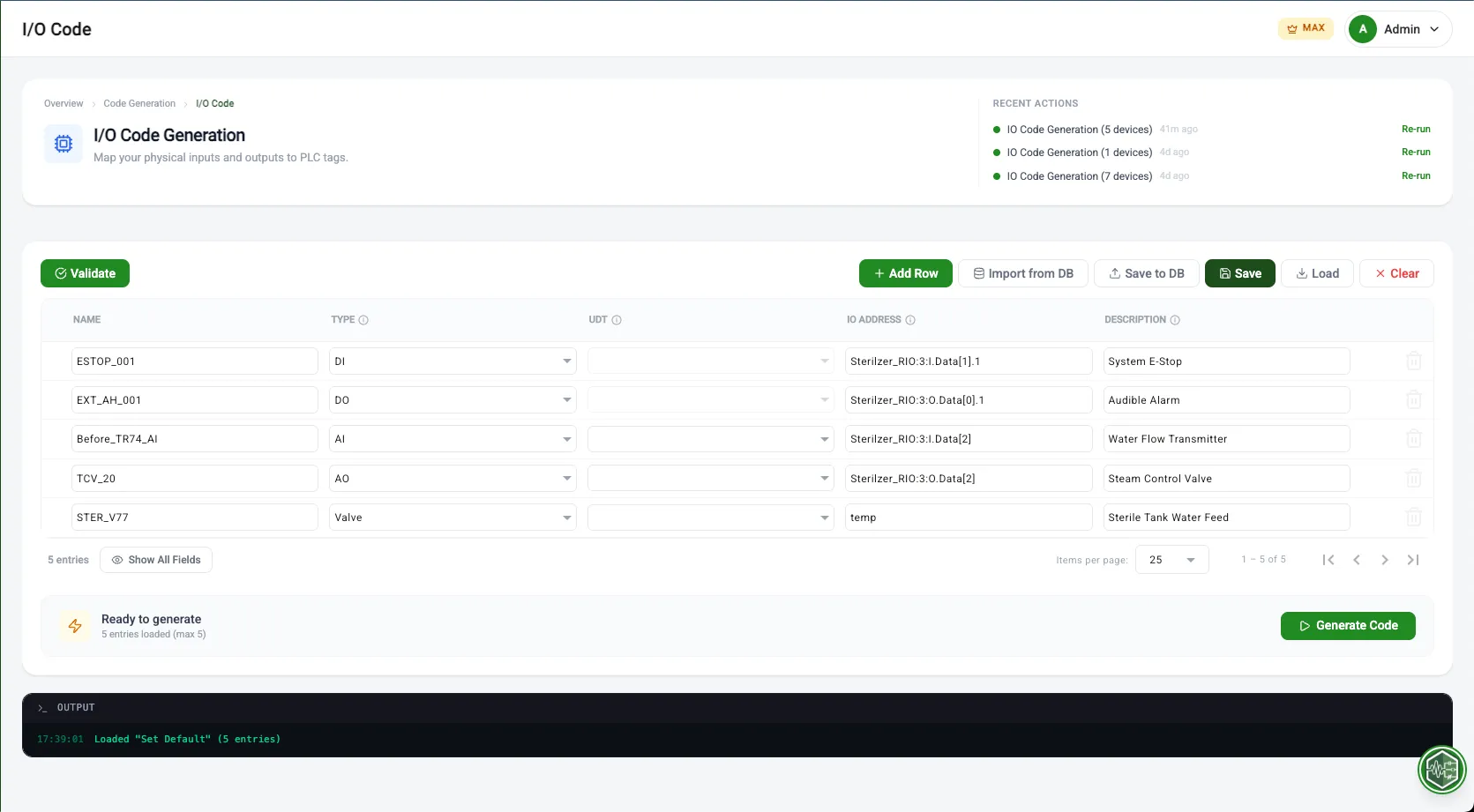
Excel Import
Map columns to device fields automatically. Download a template to get started in seconds.
Inline Editor
Enter data directly with validation, autocomplete, and paste-from-spreadsheet support.
Configure and Generate
Select your device types, assign UDTs and AOIs, configure your output preferences, and hit Generate. PLCflow creates structured ladder logic, tag definitions, AOI instances, and supplementary files - all following consistent naming and organizational standards.
Device Configuration
Select device types, assign UDTs and AOIs from your library. Every device gets the right structure.
Code Generation
Hit Generate. PLCflow builds ladder logic, tag definitions, AOI instances, and supplementary files following consistent standards.
Real-time Console
Watch the real-time console as your code is built. Review the generation log for full transparency.
Import or paste into Studio 5000
Download your generated L5X files and tag CSVs. Import them directly into Rockwell Studio 5000. Your logic is structured, tagged, and ready for testing - no manual rung entry required.
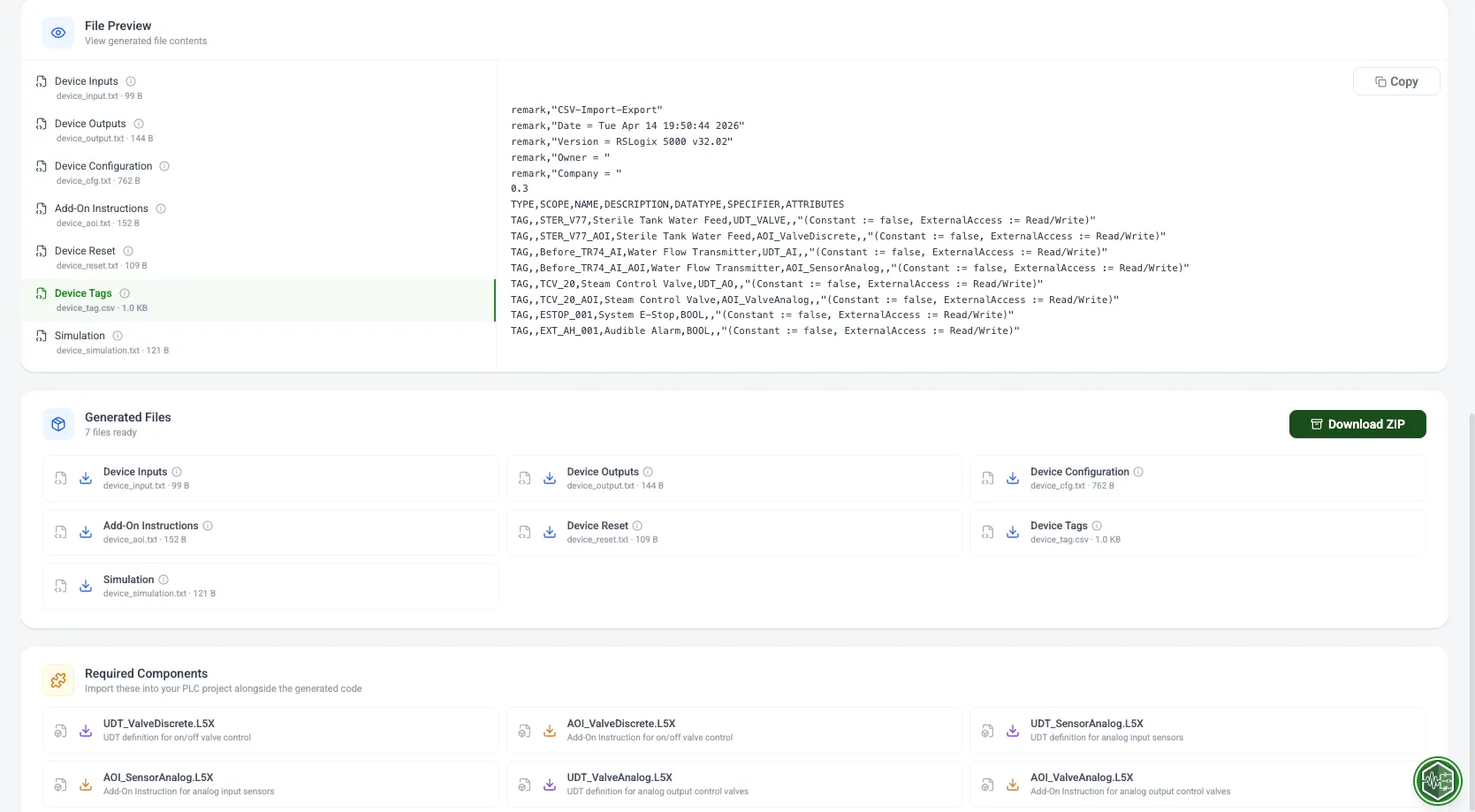
L5X Files
Structured ladder logic ready for Studio 5000 import
Tag CSVs
Complete tag definitions and addresses
AOI Instances
Pre-configured Add-On Instructions
UDT Definitions
User-Defined Type structures
Upload Your Code
Start with your existing L5X program file - exported directly from Studio 5000. PLCflow parses every routine, AOI, UDT, and tag in your project for comprehensive analysis.
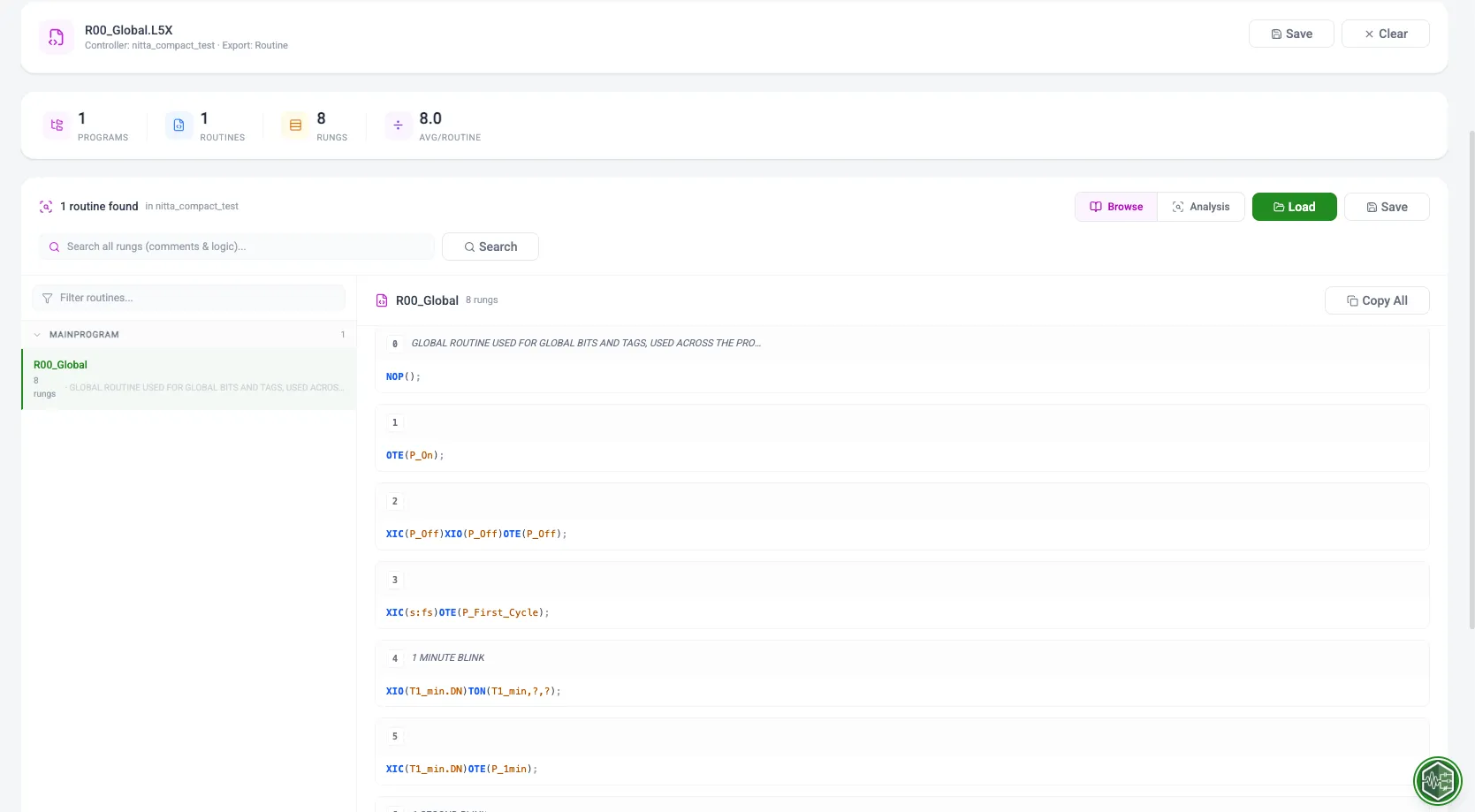
L5X Import
Export from Studio 5000 and upload directly. All program elements are parsed automatically.
Full Scope Analysis
Every routine, AOI, UDT, and tag is included in the analysis scope.
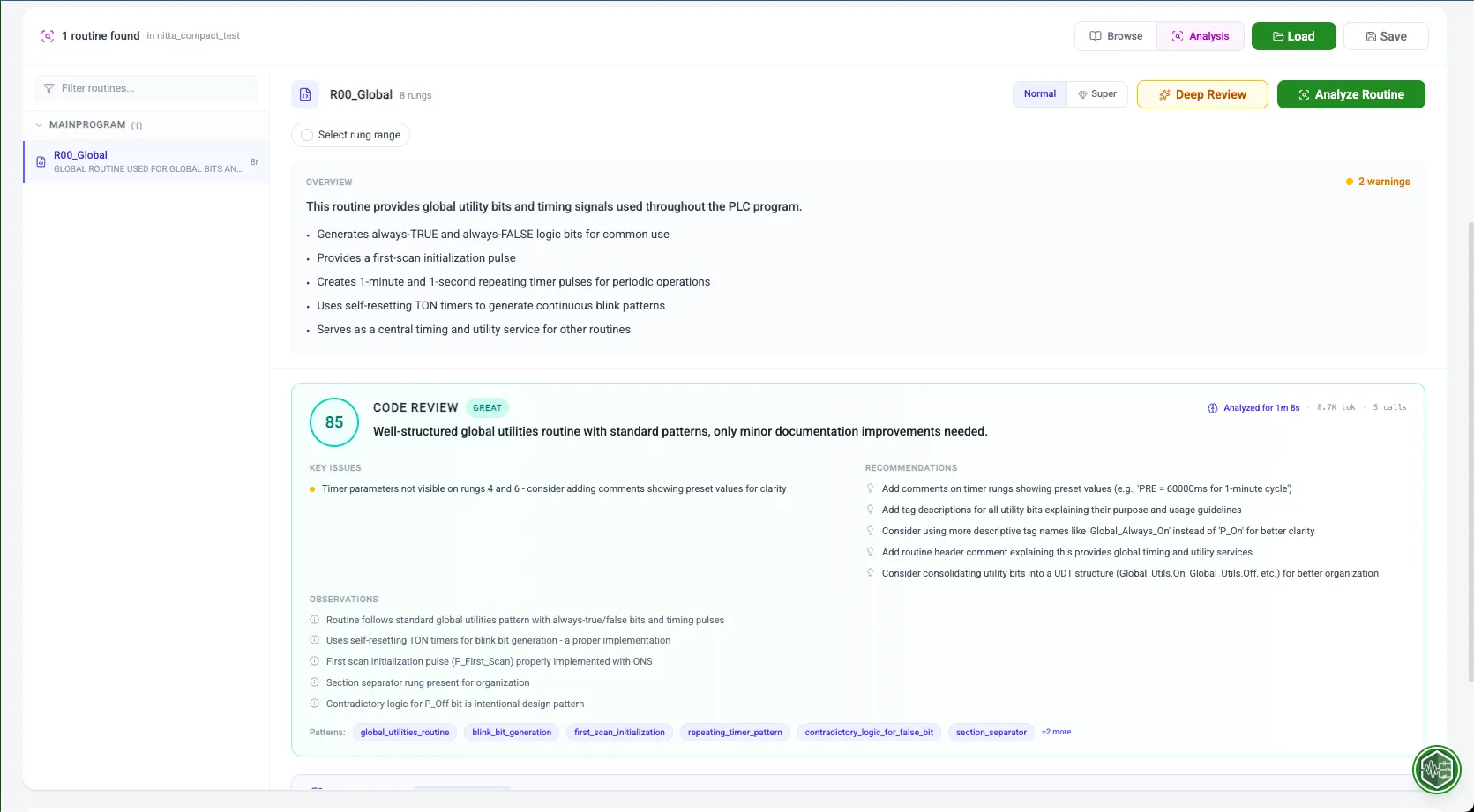
Review AI Analysis
The AI scans every rung for logic errors, copy-paste mistakes, naming issues, and structural problems. Get a health score with detailed breakdown, plus rung improvement recommendations.
Health Scoring
Comprehensive quality score across naming, structure, and safety dimensions.
Logic Error & Copy-Paste Detection
Unconditional OTEs, conflicting interlocks, missed replacements after copy-paste, orphaned tags - all flagged automatically.
AI Comment Generation
Auto-generate clear documentation for every undocumented rung in your program.
Implement and improve
Use the findings to fix logic errors, clean up copy-paste mistakes, add missing interlocks, and tidy up naming conventions directly in Studio 5000. Turn inherited programs into maintainable, well-documented assets.
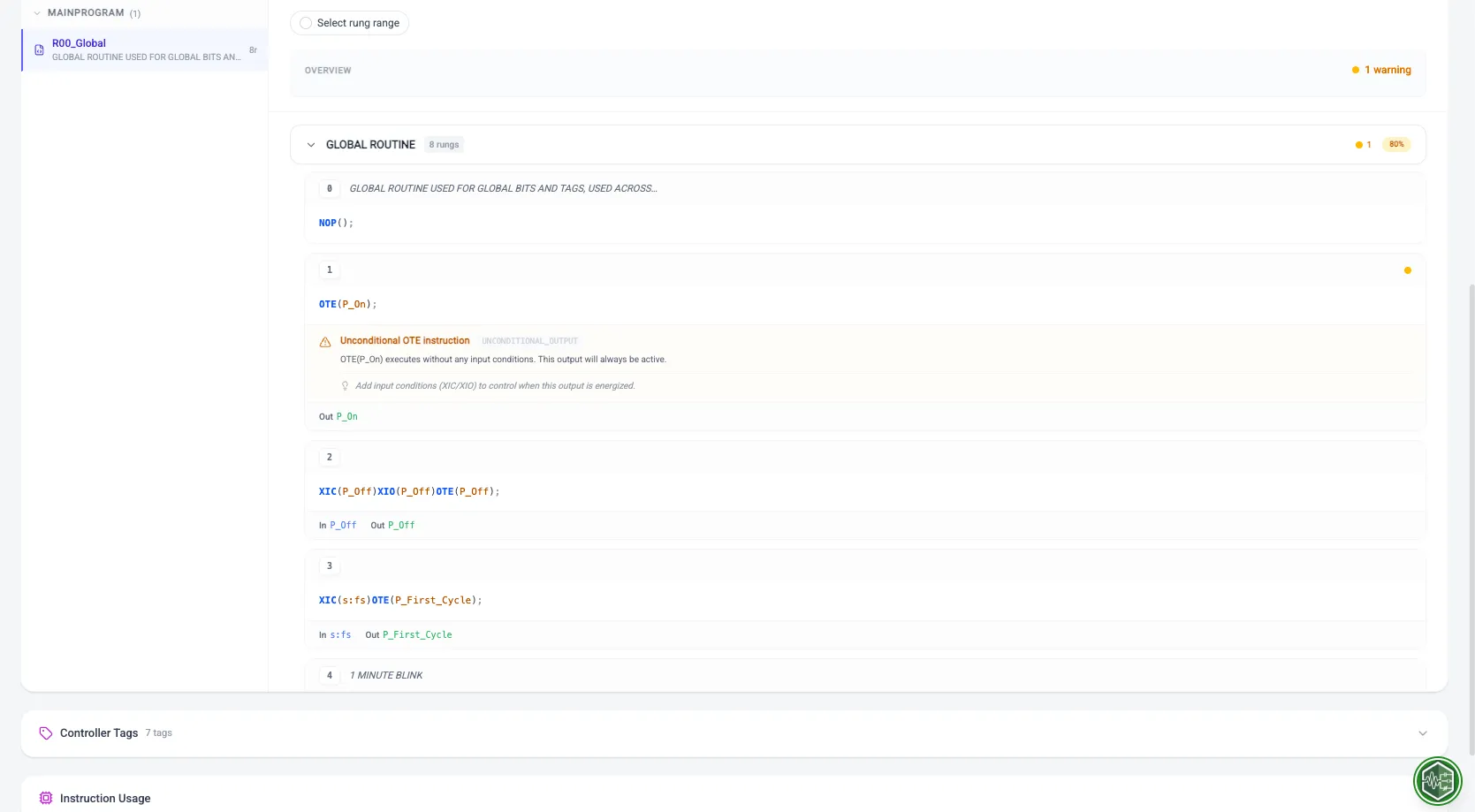
Fix Logic Errors
Resolve unconditional OTEs, missing interlocks, copy-paste mistakes, and unsafe logic
Add Documentation
Use AI-generated comments to document every rung
Flag Copy-Paste Errors
Find mistakes that were missed during development
Clean Up Naming
Standardize tag and routine naming conventions
Load Your UDT Structure
Upload existing UDTs from Rockwell L5X files or Ignition® JSON definitions. PLCflow parses every member, data type, and nested reference so you can convert or generate instances instantly.
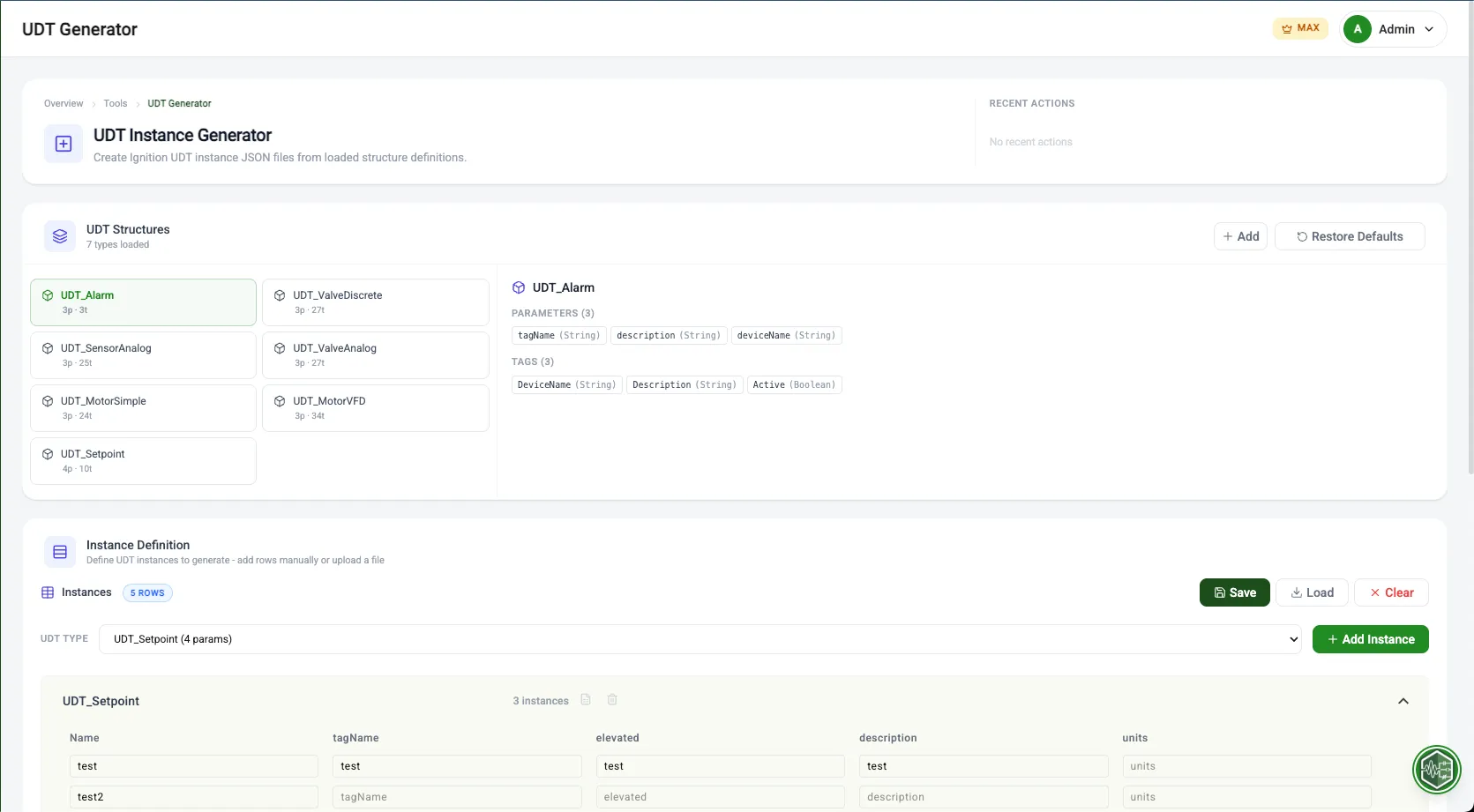
L5X Import
Parse UDTs directly from Allen-Bradley® project files exported from Studio 5000.
JSON Import
Load Ignition UDT definitions in standard JSON format for conversion.
Configure and Convert
Map data types between Rockwell and Ignition formats. Configure OPC item paths for seamless SCADA connectivity. Save conversion presets for reuse across projects.
Data Type Mapping
Intelligent mapping between Rockwell BOOL/DINT/REAL and Ignition equivalents.
OPC Path Configuration
Define OPC server and tag paths for each UDT member automatically.
Instance Generation
Create multiple UDT instances with different tag paths and configurations in one go.
Download and deploy
Download your converted UDTs and generated instances. Import L5X files into Studio 5000 or JSON files into Ignition - no manual data entry required.
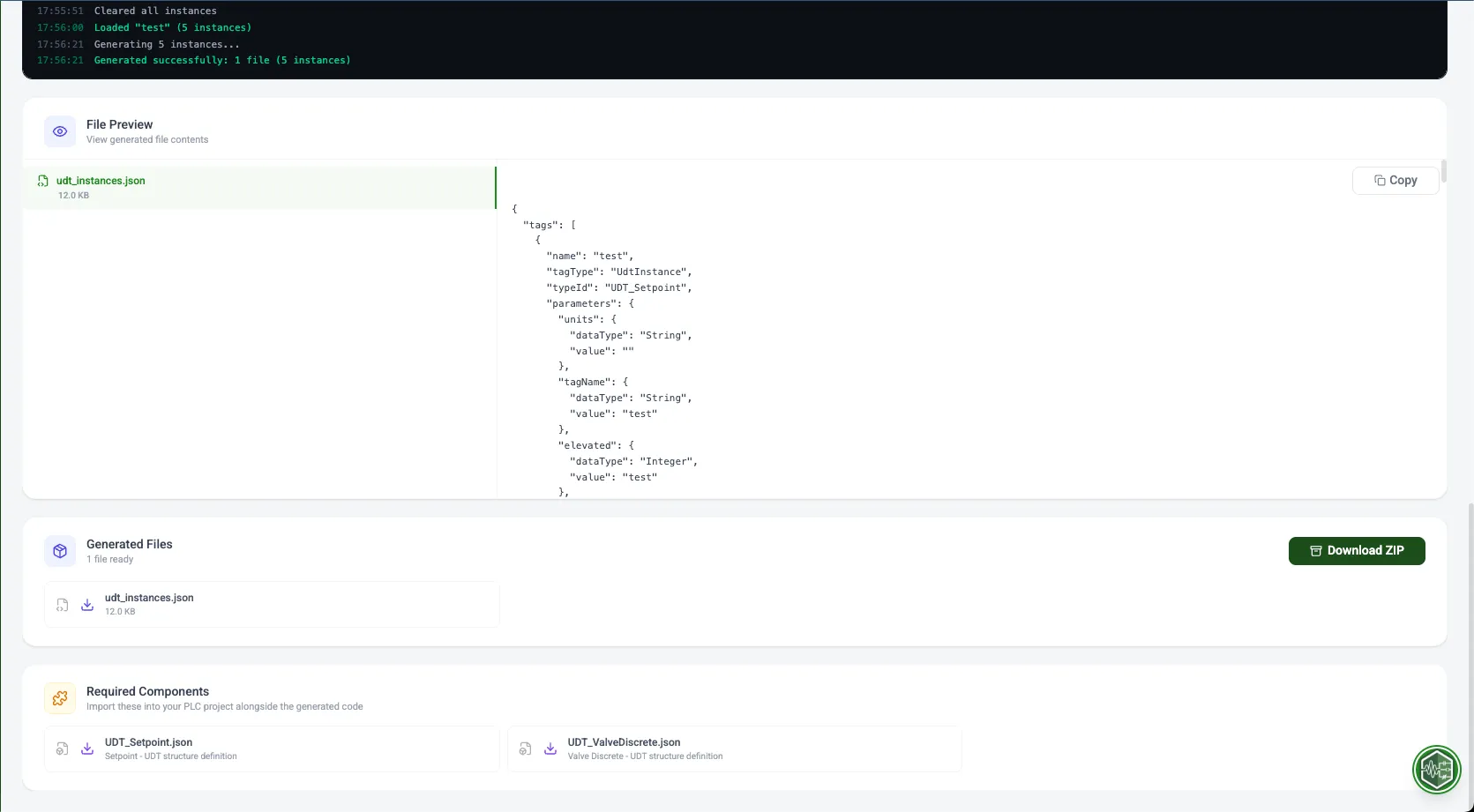
L5X Output
Rockwell UDT definitions for Studio 5000
JSON Output
UDT definitions for Ignition import
OPC Mapping
Complete OPC path configuration
Bulk Instances
Multiple UDT instances in one download
Ready to automate your PLC workflow?
Start with the free tier - no credit card required. Generate your first code in under 5 minutes.