One Approved Set of Structures, Versioned
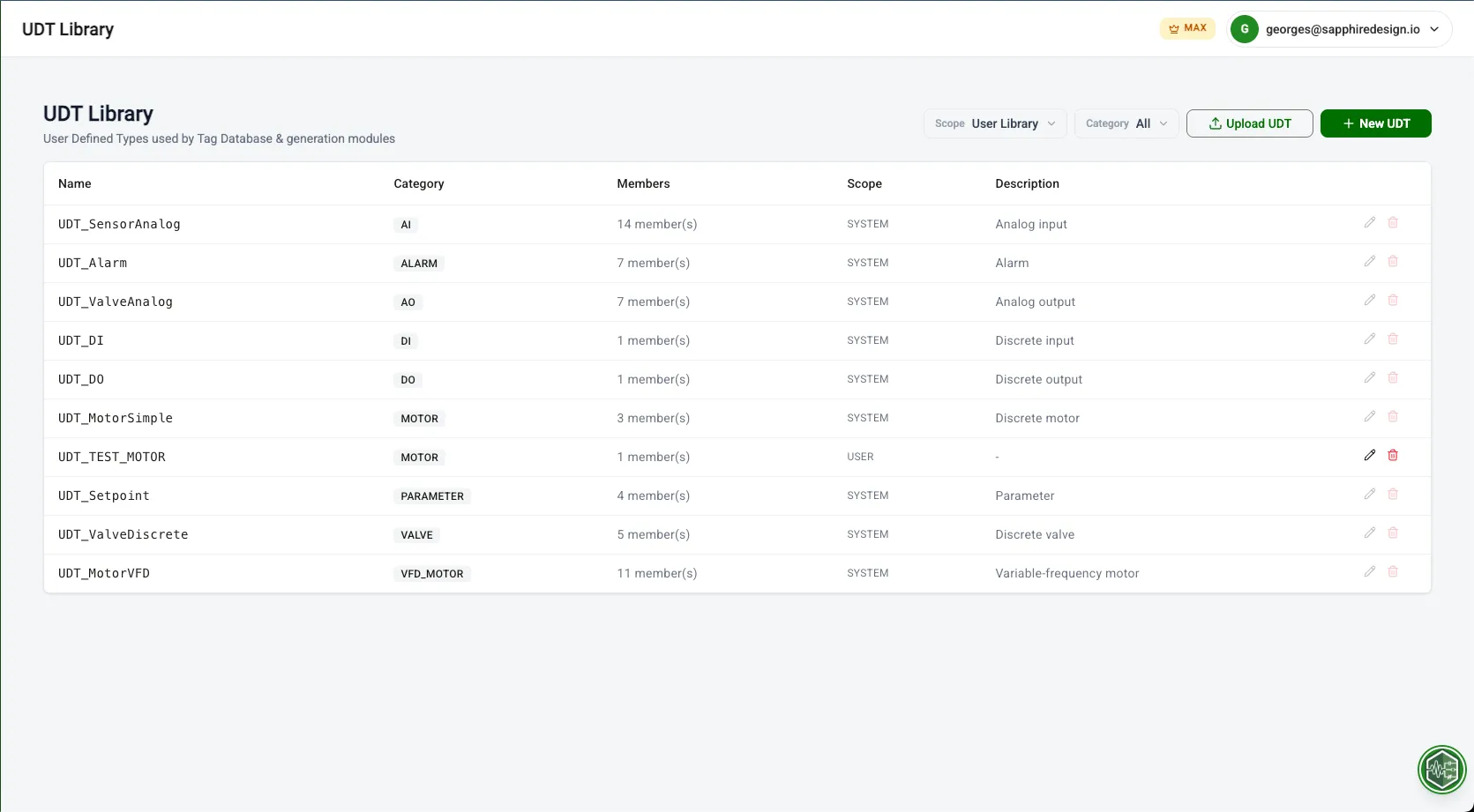
Build and maintain a reusable library of UDTs and Add-On Instructions. Upload your existing structures from L5X, keep every revision with a diff of what changed, and pin which revision the generators use. Every code generation module reads from the same library, so your shop's standard is what comes out.
How It Works
Upload
Upload UDTs and AOIs
Version
Review versions and pin one
Reuse
Reference in code generation
Built for engineers like you
Establishing standard UDT structures for a team of 5 engineers across multiple concurrent projects
Publish the approved set to an Organization workspace, and every engineer generates from it.
Starting a new project and need the same motor/valve/sensor UDTs from the last job
Open Custom Structures, all structures from previous projects are ready to reuse.
Rolling out a revised motor UDT without breaking the three projects already generating against the old one
Upload it as a new version, review the diff, and pin the revision each project ships.
UDT and AOI definitions duplicated, drifting, and impossible to version across projects.
What PLCflow Does
- Upload UDTs and AOIs
- Review versions and pin one
- Reference in code generation
Before & After
See the difference PLCflow makes on a real project.
- Hunt through old project folders for the right UDT file
- Different versions of the same UDT across projects
- No way to know which version is current
- New projects start from whatever the last engineer used
- Upload UDTs and AOIs once, organized by category
- Every generation module pulls from the same library
- Every revision kept, diffable, and pinnable
- New projects inherit the approved standard
Engineered for Complexity
Purpose-built capabilities for industrial-scale projects.
UDTs and AOIs Together
Upload either from a Studio 5000 L5X export. PLCflow detects which it is, and pairs an AOI to its companion UDT so generating a device emits both.
Full Version History
Every edit is kept as a revision with a summary of what changed. Compare any two side by side, the way you would read a pull request.
Pin the Version You Ship
Generation follows the newest revision by default. Pin an older one and it stays there, so you can upload a revised structure and review it while production keeps building against the approved version.
Shared Team Workspaces
Keep structures personal, or put them in a Project or Organization workspace so the whole team generates from one approved set. Requires Geek or above.
Start using Custom Structures for free
No credit card required. Import your first file and generate production-ready output in under a minute.